 OfficeOne PowerShow
Install
After downloading PowerShow107.exe, execute it. You need to have
Administrator privileges to install OfficeOne PowerShow on the
system. After installation, PowerShow can be used from any account.
After downloading, install PowerShow as follows:
- Ensure that Microsoft PowerPoint is not running. Exit all instances of PowerPoint.
- Execute the setup executable PowerShow107.exe. This will install OfficeOne PowerShow and register it for use with PowerPoint.
- Start Microsoft PowerPoint.
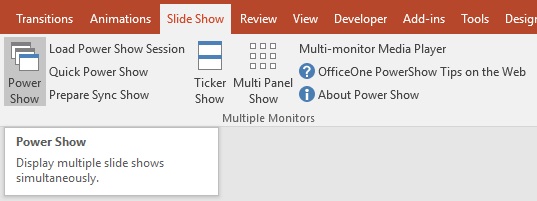
Start PowerShow by selecting Slide Show | Power Show menu item within Microsoft PowerPoint:
Click here to see the purchasing details.