 OfficeOne PowerViewer
Run a slide show on second monitor to allow other tasks on primary monitor
The
tutorial page explains you how to setup PowerViewer. After setting
up PowerViewer, the following steps explain how to configure it to allow
a slide show to run on secondary monitor while you continue to perform
other tasks on primary monitor:
Step 1
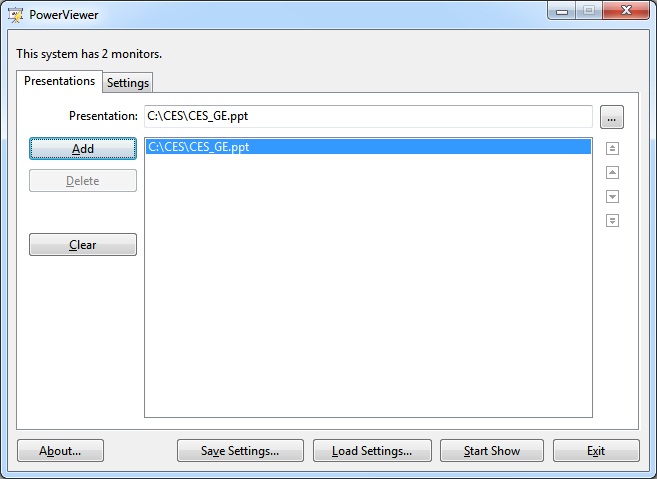
Select the Presentations tab.
Step 2
Click the Add... button. Locate and select your
presentation file and click Open button. Your presentation will get
added to presentation file list:
Step 3
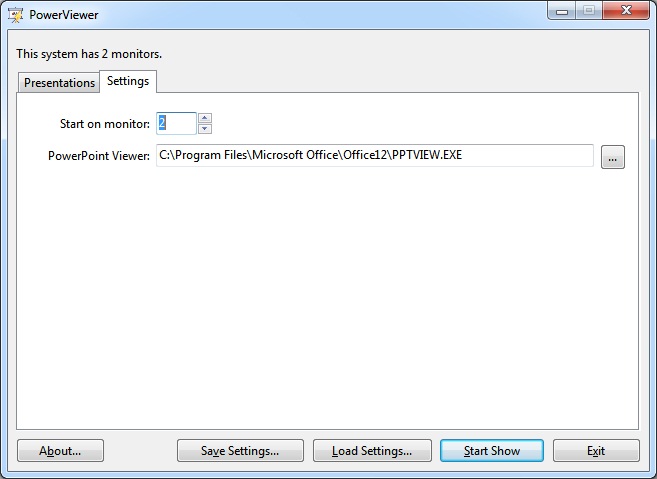
Select the Settings tab.
Step 4
Select 2 in Start on monitor box.
Step 5
Click Start Show button.