 OfficeOne PowerShow
Ticker Show
The Ticker Show feature of PowerShow enables
multiple slide shows to run on a single monitor. This allows you to, for
instance, set up news-style ticker presentations that run continuously at
the bottom of the screen while the main presentation is going on the rest of
the screen.
Following are step-by-step instructions to set this up:
-
Creating a TickerShow Layout presentation:
A TickerShow Layout presentation is the presentation that contains the
layout of the slide shows for a single monitor. This presentation should
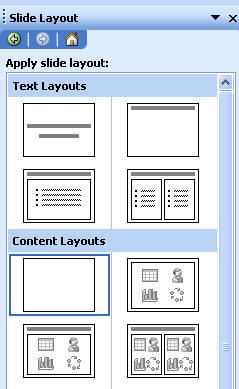
contain a single slide having the Blank slide layout:
- Create a new presentation with a Blank slide design.
- Set the first slide's layout to Blank:
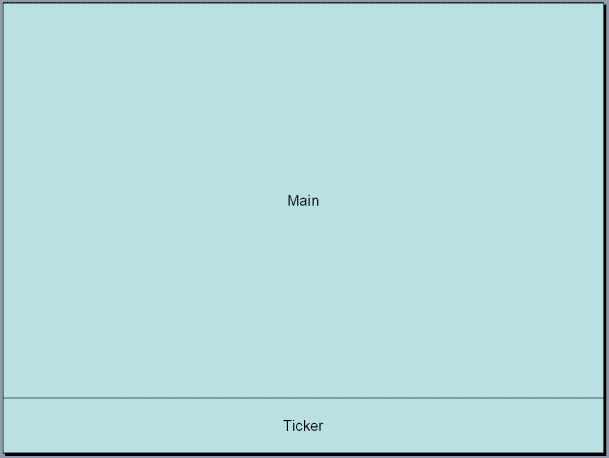
- Create two Rectangle shapes on the slide.
- Assuming that your main presentation is named Main.ppt and
the bottom ticker presentation is named Ticker.ppt, insert text
Main in the top Rectangle and Ticker in the bottom
Rectangle strip.
- Save this TickerShow Layout presentation (lets say we give it the name Layout.ppt).
- Open Main.ppt, Ticker.ppt and Layout.ppt in PowerPoint.
- Select Slide Show tab, clear the Use Presenter View box.
- Select Slide Show | Ticker Show item.
- Select the monitor on which you want to run the two presentations.
- Select Layout.ppt in TickerShow Layout Presentation
box.
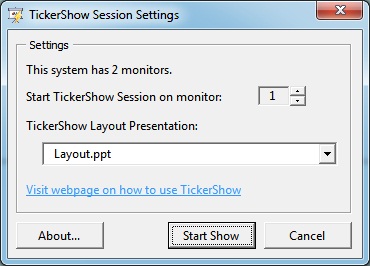
- Click Start Show button.
This will start Main.ppt and Ticker.ppt on the same monitor.
Click here (293 KB) to download sample
presentation that demonstrates TickerShow feature of OfficeOne PowerShow.
The Ticker Show feature is also useful in using video splitters like Matrox
DualHead2Go and Matrox TripleHead2Go for displaying multiple slide shows
simultaneously. For more information, use the following links:
- How do I use Ticker Show with Synchronous Shows?
- How can I see English and French slide shows side-by-side on one projector?
- How do I display multiple slide shows with Matrox DualHead2Go?
- How do I display multiple slide shows synchronous with each other using Matrox DualHead2Go?
- How do I display multiple slide shows with Matrox TripleHead2Go?
- How do I display multiple slide shows synchronous with each other using Matrox TripleHead2Go?