OfficeOne PowerShow
Sample Session #1: Page 1/3
Configuration
The system has 2 monitors.
Requirements
Start a PowerPoint show on the secondary monitor keeping the primary
monitor free for other tasks. PowerPoint, itself, can start a slide show
on the secondary monitor - but the problem is that if you try to do any
other task on the primary monitor, then the slide show pauses. PowerShow
does away with this restriction.
Session
Follow these steps to configure a PowerShow session for the specified
requirements:
Step 1
Open the presentation that should participate
in the PowerShow session. Lets call it "Seven Wonders.ppt" for this
session.
Select Slide Show tab, clear the Use Presenter View box.
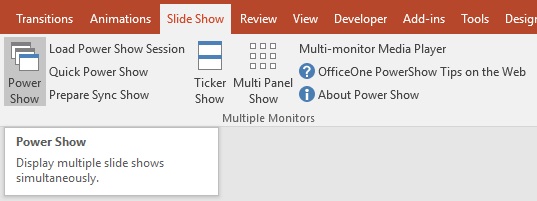
Start PowerShow by selecting Slide Show
| Power Show item within Microsoft PowerPoint.