OfficeOne PowerShow
Sample Session #4: Page 1/3
Configuration
The system has 4 monitors arranged in 2x2 box configuration.
Requirements
Start a PowerPoint show spanning across 4 monitors arranged in 2x2 box
layout.
Session
Follow these steps to launch a Multi-Panel Show for the specified
requirements:
Step 1
Open the presentation that should participate
in the PowerShow session. Lets call it "Seven Wonders.ppt" for this
session.
Select Slide Show tab, clear the Use Presenter View box.
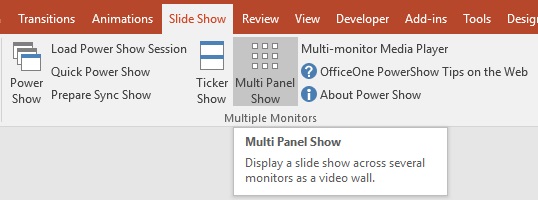
Start Multi-Panel Show by selecting
Slide Show | Multi-Panel Show item within Microsoft PowerPoint.